Phoenix Hosting
  • 0 Shopping Cart
  • Home
  • Store
    • Browse All
    • Webspace Hosting
    • Phoenix Services
    • Register a New Domain
    • Transfer Domains to Us
  • Announcements
  • Knowledgebase
  • Network Status
  • Contact Us
  • More
  • Account
    • Login
    • Register
    • Forgot Password?
  1. Portal Home
  2. Knowledgebase
  3. Getting Started
  4. How to Log In to the Client Area

  Categories

Getting Started
8

  Categories

  Tag Cloud

Password Reset Password Login account access services hosting plan account details product invoice payment billing due date profile billing details contact details email address Support Ticket Help Technical Support control panel cPanel Hosting login Credentials upload file manager website files FTP

  Support

My Support Tickets
Announcements
Knowledgebase
Downloads
Network Status
Open Ticket

How to Log In to the Client Area Print

  • 0

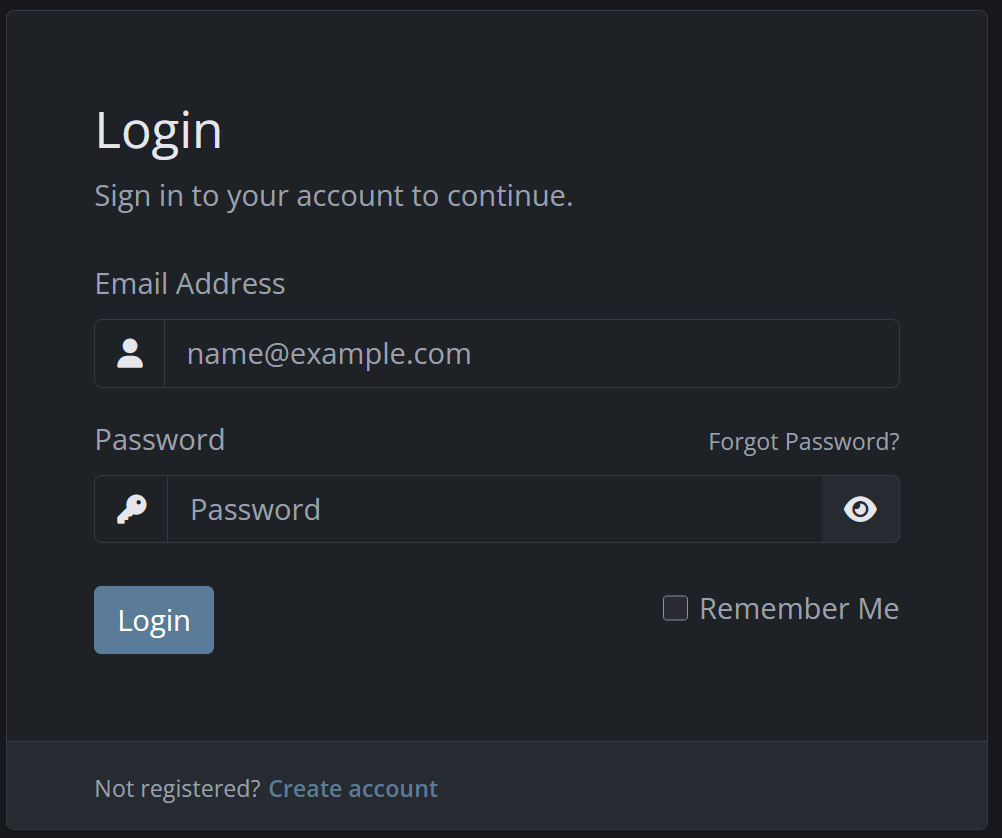
Go to https://portal.phoenixhosting.co/.

Select Login.

Enter the email address linked to your account.

Enter your password.

Select Login.

Was this answer helpful?

Related Articles

How to Reset Your Client Area Password Purpose Use this guide if you have forgotten your Phoenix Hosting client-area password. Steps... How to View Your Hosting Service Details Steps Log in to the Phoenix Hosting client area. Select Services or My Services. Select the...
« Back

  Tag Cloud

Password Reset Password Login account access services hosting plan account details product invoice payment billing due date profile billing details contact details email address Support Ticket Help Technical Support control panel cPanel Hosting login Credentials upload file manager website files FTP

  Support

My Support Tickets
Announcements
Knowledgebase
Downloads
Network Status
Open Ticket
  • Contact Us
  • Terms of Service

Copyright © 2026 Phoenix Hosting. All Rights Reserved.


Loading...
Loading...
Choose language
العربية
Azerbaijani
Català
中文
Hrvatski
Čeština
Dansk
Nederlands
English
Estonian
Persian
Français
Deutsch
עברית
Magyar
Italiano
Macedonian
Norwegian
Português
Português
Română
Русский
Español
Svenska
Türkçe
Українська

Generate Password

Please enter a number between 8 and 64 for the password length
Terms of Service · Privacy Policy · Cookie Policy · Data Processing Terms · Cookie settings